


Download Korea VPN APK – OpenVPN plugin, free VPN, Android, Korean servers
Overview
Korea VPN, also known as the Korea VPN Plugin for OpenVPN, is a supplementary tool designed to facilitate connections to Korean-based virtual private network (VPN) servers. It functions as an extension to the main OpenVPN application, enabling users to access a list of available Korean servers through imported profiles. The software does not operate independently and requires the OpenVPN app to be installed and running in the background for functionality.
Its primary purpose is to streamline the process of connecting to Korean servers by automating the import and configuration of server profiles. This is particularly useful for users who rely on access to region-specific content, such as Korean streaming services, gaming servers, or localized online platforms. The tool is ideal for individuals seeking a lightweight, free solution to expand the capabilities of their existing OpenVPN setup.
Target users include Android users interested in regional content access, digital nomads, expatriates in Korea, and privacy-conscious individuals who require secure connections to Korean infrastructure. The developer has not been publicly identified, and no additional background information is available. The application was released on April 26, 2024, and is categorized under Utilities.
Key Features & Capabilities
- Server Profile Import – Automatically imports Korean-based server profiles into the OpenVPN app, allowing seamless connection without manual configuration.
- Real-Time IP Refresh – Enables users to refresh the list of available Korean server IP addresses, improving access to working connections.
- Profile Saving & Management – Allows users to save and manage previously connected Korean server profiles for quick future access.
- One-Tap Connection – Initiates a connection with a single tap on the Play button, sending a pass command to the OpenVPN app to establish the session.
- Reload Functionality – Offers a Reload button to obtain new IP addresses when current connections fail due to server instability or network issues.
These features enhance workflow efficiency by reducing the complexity of manual server setup. For example, a user attempting to access a Korean streaming service can refresh the server list, select a working IP, and connect in under a minute. The plugin does not host servers or profiles itself but acts as a bridge between the OpenVPN app and external server configurations.
It supports Android 5.0 and above, ensuring broad compatibility with older devices. The lightweight design, with a file size of 1.7 MB, makes it suitable for devices with limited storage. Performance is dependent on the stability of the underlying OpenVPN app and the availability of functional Korean servers.
User Interface, Workflow & Performance
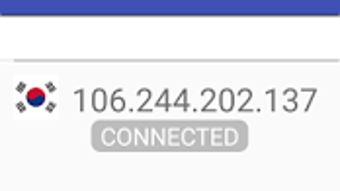
The user interface of Korea VPN is minimalistic and task-focused, designed for efficient navigation without unnecessary distractions. The main screen displays a single Refresh button, a Reload button on the left, and a Play button to initiate connections. Status messages, such as “connected” or “failed,” are shown in real time to inform users of their current session state.
Navigation is straightforward: after installing the OpenVPN app, users open Korea VPN, tap Refresh to retrieve a new server IP, and then tap Play to connect. The workflow is intuitive and requires no technical expertise, making it accessible to non-technical users. The app does not include advanced settings or configuration options, maintaining simplicity.
Performance is dependent on the OpenVPN app and the availability of functional Korean servers. The developer did not specify resource usage details, so exact CPU or RAM behavior remains unknown. However, the app’s lightweight nature suggests low impact on system resources. Stability is tied to server reliability, with occasional disconnections possible due to network congestion or server-side issues. No crash reports or performance benchmarks were provided.
Compatibility & System Requirements
Korea VPN is compatible with Android devices running Android 5.0 and above. The application has a file size of 1.7 MB, indicating minimal storage requirements. It is designed as a plugin, meaning it relies entirely on the OpenVPN app for core functionality.
Exact system requirements were not listed. The developer did not provide additional hardware specifications or performance thresholds. Installation is straightforward and does not require root access or special permissions. Platform compatibility information is limited to Android 5.0 and higher, with no indication of support for other operating systems such as iOS, Windows, or macOS.
Pros and Cons
Pros
- Free to download and use with no hidden fees.
- Lightweight design with a small file size of 1.7 MB.
- Simple, intuitive interface suitable for beginners.
- Enables quick access to Korean-based servers via OpenVPN.
- Supports easy profile saving and reconnection.
Cons
- Requires the OpenVPN app to be installed and running.
- Does not include server profiles or infrastructure on its own.
- Server availability and stability are not guaranteed.
- Performance depends on external server conditions.
- No official developer information or support channels provided.
FAQ Section
Is Korea VPN compatible with iOS devices?
Korea VPN is designed for Android and has no official support for iOS devices. It cannot be used on iPhones or iPads.
Do I need to pay to use Korea VPN?
No, Korea VPN is completely free to download and use. There are no subscription fees or in-app purchases.
Can I use this app without OpenVPN?
No. Korea VPN is a plugin and requires the OpenVPN app to be installed and running in the background to function.
Is the app safe to use?
The app itself is lightweight and does not collect personal data. However, security depends on the server being connected to and the integrity of the OpenVPN app. Always use trusted profiles and avoid unverified servers.
How often can I refresh or reload server IPs?
There is no limit on how often you can refresh or reload server IP addresses. Use the Reload button to obtain new IPs if the current connection fails or is unstable.
Final Thoughts
Korea VPN is a practical, no-frills plugin that enhances the OpenVPN experience for users seeking access to Korean servers. While it lacks standalone functionality and relies on the OpenVPN app, its simplicity, free access, and lightweight design make it a viable option for those needing regional connectivity. The tool is best suited for Android users who already use OpenVPN and want to expand their server access without additional setup.
Despite the absence of developer details and limited support, the app delivers on its core promise: enabling access to Korean-based networks through a streamlined interface. For users prioritizing ease of use and cost-effectiveness, Korea VPN offers a reliable bridge to region-specific content.
Download Korea VPN now







